Skip to content
SKUGrab.

ECOMMERCE PRODUCT SCRAPER

Web Scraper Chrome Extension for Product Data

Collect titles, prices, image links and available variants from Amazon.com US, eBay.com and supported Shopify storefronts. Keep your product library local and export the data you need. Sign in with Google on the SKUGrab website to collect and export, including on the free plan with 20 product exports per browser per UTC day (extension 0.2.21 and later).

See the product data before you install

FROM PRODUCT TO DATA

One product. Two variants. Two rows.

Scroll down to turn product variants into spreadsheet rows, or drag the divider yourself.

shop.example / products / linen-shirtSample storefront
THE LINEN COLLECTION

The linen shirt

linen-shirt-example

$32.00– $36.00 USD
Color: Blue
M
$32.00LINEN-BLUE-M
L
$36.00SKU not provided

Collect published variants. Leave missing fields empty.

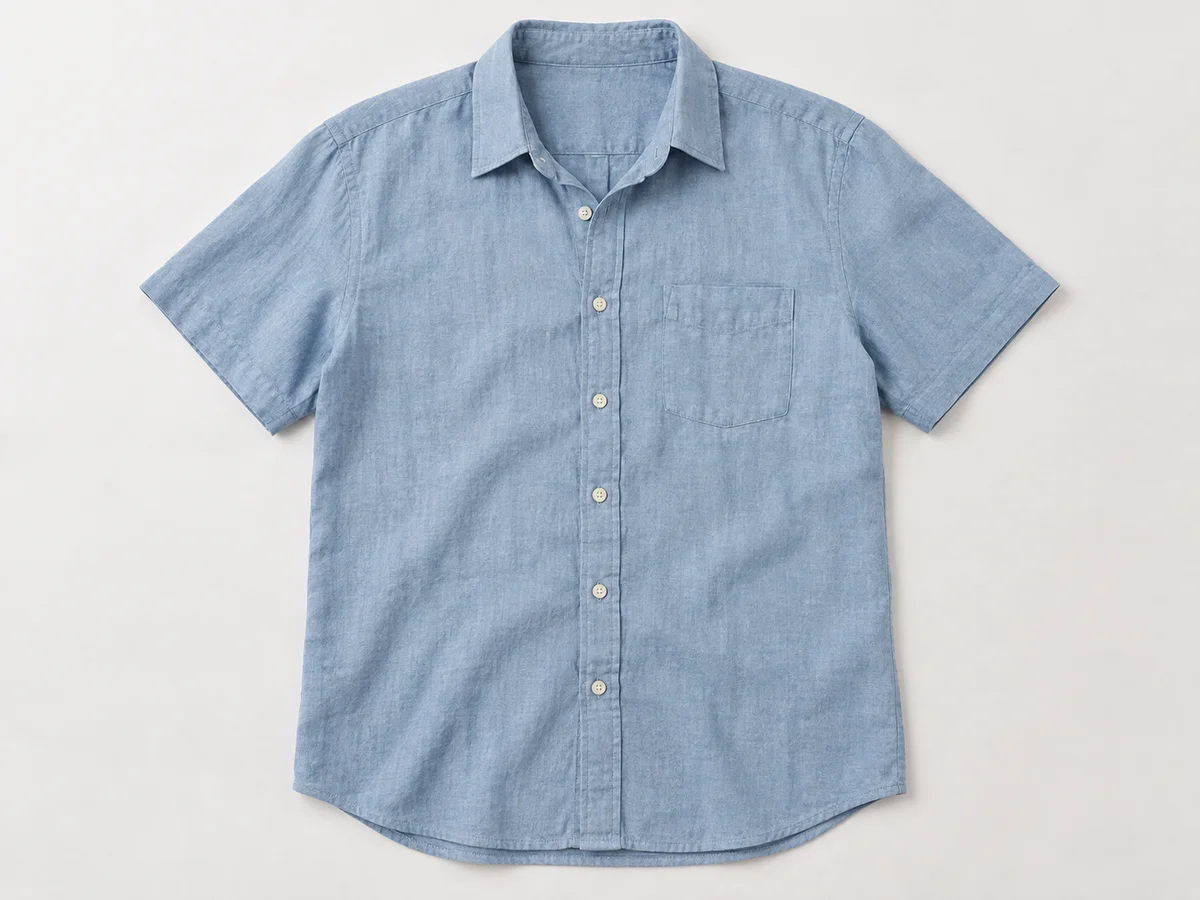
Blue linen shirt on a white background
linen-shirt-example.xlsxExcel export preview
A2LINEN-BLUE-M
Two variants of the same fictional product, with their JSON field paths
1SKUvariants.skuSizevariants.options.SizePricevariants.priceColorvariants.options.ColorVariant IDvariants.idCurrencycurrency
2LINEN-BLUE-MM32.00Blue100000000001USD
3L36.00Blue100000000002USD
2 variants → 2 data rows

The missing SKU stays blank. It is not replaced with a variant ID.

Selected fields shown here. Download the complete sample below.

productsshopify · linen-shirt-example
Demo with fictional product data and an AI-generated product image, not a real scrape screenshot. Matches the Shopify sample below; image fields export as URLs.
  1. 01

    Install the Chrome extension

    Sign in with Google on skugrab.com, then return to the extension. No payment needed for the free plan.

  2. 02

    Open a product and collect

    Review available fields and variants, then save to your local library.

  3. 03

    Choose a format and export

    JSON / ZIP; CSV / Excel in v0.2.11 and later.

Illustrative sample data, not a live scrape. Sample spreadsheets are generated by the extension's exporter. Actual fields depend on the product page; missing values stay blank.

Amazon

Preview sample JSON
{
  "schemaVersion": 1,
  "platform": "amazon",
  "id": "B0EXAMPLE1",
  "price": "29.99",
  "currency": "USD",
  "variants": [
    {
      "id": "B0EXAMPLE1",
      "sku": null,
      "options": {
        "Color": "Blue"
      },
      "price": "29.99"
    },
    {
      "id": "B0EXAMPLE2",
      "sku": null,
      "options": {
        "Color": "Green"
      },
      "price": null
    }
  ]
}

eBay

Preview sample JSON
{
  "schemaVersion": 1,
  "platform": "ebay",
  "id": "123456789012",
  "url": "https://www.ebay.com/itm/123456789012?var=234567890123",
  "price": "24.99",
  "currency": "USD",
  "options": [
    {
      "name": "Size",
      "values": [
        "S",
        "M",
        "L"
      ]
    }
  ],
  "variants": [
    {
      "id": "234567890123",
      "sku": null,
      "options": {
        "Size": "M"
      }
    }
  ]
}

Shopify

Preview sample JSON
{
  "schemaVersion": 1,
  "platform": "shopify",
  "id": "linen-shirt-example",
  "price": null,
  "currency": "USD",
  "variants": [
    {
      "id": "100000000001",
      "sku": "LINEN-BLUE-M",
      "options": {
        "Size": "M",
        "Color": "Blue"
      },
      "price": "32.00"
    },
    {
      "id": "100000000002",
      "sku": null,
      "options": {
        "Size": "L",
        "Color": "Blue"
      },
      "price": "36.00"
    }
  ]
}

Guides for your product workflow

Export Amazon product data

Download an ASIN snapshot, select loaded product cards, and check Amazon prices and partial variants before using the JSON.

How to scrape eBay listings

Collect an eBay listing or selected search results, export CSV, Excel or JSON, and check the current variation, price and item ID.

BROWSE · SELECT · EXPORT

Select products. Export structured data.

A product data scraper for ecommerce research and catalog preparation. Start ecommerce data extraction from the pages you choose, inspect the available fields, and keep structured files on your device.

Pick products on the page
Select product cards directly on supported listing pages. Stay in control of what enters your export.
Keep the useful details
Capture available titles, prices, product links, image URLs and variant information in a consistent JSON structure.
Download once
Export a single product as JSON, or bundle selected products into a ZIP with a separate JSON file for each item. CSV and Excel merge selected products into one table.
Review product variants
Inspect available options and product IDs before exporting. Missing seller SKUs and incomplete variants stay clearly marked.
Organize a local library
Search saved products, filter by platform and export selected records for ecommerce research.
Choose the stores you access
Shopify custom domains require your permission. Collection starts when you choose; no automatic whole-site crawl.

Built for the platforms you use

Amazon product scraper

Extract Amazon.com US product data with the SKUGrab Chrome extension. Keep ASINs, available prices, public variant options and image URLs in local CSV, Excel or JSON files.

eBay product scraper

Export available eBay.com listing data, item IDs, current prices, public options and image URLs to CSV, Excel or JSON with SKUGrab.

Shopify product scraper

Export public Shopify storefront products, available variant SKUs, options and image URLs to CSV, Excel or JSON. Grant access to the specific stores you choose.

A plan for your product workflow

Free: 20 product exports per UTC day, counted per product — every product inside a ZIP or table counts once. Pro removes the daily limit for one person across devices. The allowance resets at 00:00 UTC.

Free

$0

Free daily allowance

Each product counts once. Resets at 00:00 UTC.

  • ✓20 product exports per UTC day
  • ✓Product JSON and batch ZIP
  • ✓CSV / Excel in extension v0.2.11+
  • ✓Local product data; Google sign-in required
Add to Chrome
Recommended

Pro Monthly

$19.90

USD / month

$19.90 billed monthly. Renews automatically until canceled.

  • ✓Unlimited product exports during the paid period
  • ✓For one person across multiple devices
  • ✓Cancel renewal and keep access through the paid period

Pro Yearly

$180

USD / year

$180 billed yearly ($15/month). Save about 25% versus monthly. Renews automatically until canceled.

  • ✓Unlimited product exports during the paid period
  • ✓For one person across multiple devices
  • ✓Cancel renewal and keep access through the paid period

Sign in with Google and choose a plan to use secure Waffo checkout. Taxes and the final total are shown at checkout. Pro starts after verified payment confirmation.

Checking subscription service…

Terms & refund information · Privacy policy

A few things worth knowing

Can I export product data to Excel or CSV?

Yes. SKUGrab v0.2.11 and later include CSV and Excel (.xlsx), alongside JSON and batch ZIP. Check your installed extension version if the format buttons are missing. Tables use one row per available variant, with headers from the actual collected fields. Missing values stay blank.

Does an ASIN identify a seller SKU?

No. Amazon ASINs identify catalog products and variants. Seller SKUs are merchant-defined identifiers and are generally not exposed on public Amazon product pages. SKUGrab keeps missing fields empty rather than inventing them.

Is SKUGrab in the Chrome or Edge store?

SKUGrab is available in the Chrome Web Store. Use Add to Chrome on this website to open the official listing. An Edge Add-ons listing is not currently provided; this website does not offer an offline installation package.

Does it export every variant?

Not necessarily. It exports data the page makes available and adds completeness notes. Hidden variants, live stock and every regional price are not guaranteed.

Does SKUGrab upload my product data?

The extension processes product information locally. Visiting a storefront still involves normal communication with that website; Shopify collection may read its same-origin public product endpoint.

Can I export an entire website automatically?

No. You choose the products from the currently loaded list. A batch may open temporary product tabs; there is no automatic pagination or CAPTCHA bypass.

What can I do with exported data?

Use information you are authorized to access and reuse. Respect the source platform's terms and third-party rights. SKUGrab does not grant rights to product text or images.